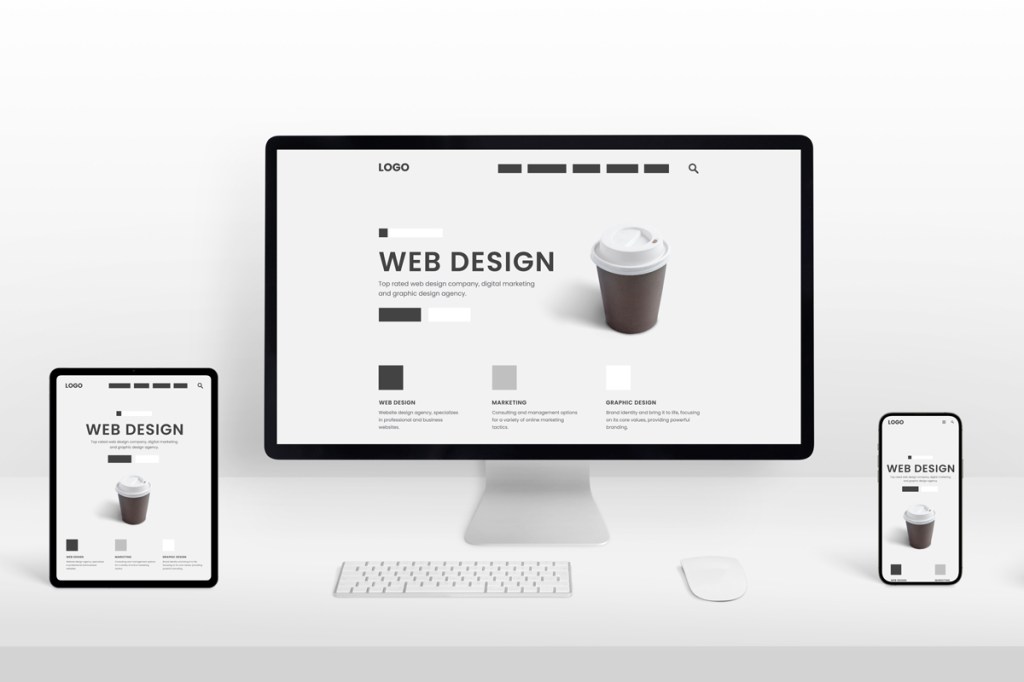
• How to Create Fully Responsive Websites?

    In the modern digital landscape, users access websites from a variety of devices, including desktops, laptops, tablets, and smartphones. A fully responsive website ensures that your site adapts seamlessly to any screen size, providing a consistent and user-friendly experience. Responsive design not only improves user engagement but also positively impacts SEO, as search engines like Google prioritize mobile-friendly sites. Creating a responsive website requires careful planning, flexible layouts, and attention to detail, ensuring that content looks good and functions properly across all devices. In this guide, we explore the steps and best practices to design and develop fully responsive websites that engage users and drive results.

    Understand the Importance of Responsive Design

    Before diving into the technical aspects, it’s essential to understand why responsive design matters. Users expect a seamless browsing experience, regardless of the device they use. A website that doesn’t adjust properly can frustrate visitors, increase bounce rates, and reduce conversions. Moreover, search engines consider mobile-friendliness as a ranking factor. A responsive site ensures better SEO performance and broader reach. By investing in responsive design, businesses can provide a professional and consistent experience, improving both user satisfaction and online visibility.

    1.     Start with a Mobile-First Approach

    Designing with a mobile-first mindset is a key principle of responsive web design. This approach involves designing for smaller screens first and gradually scaling up for larger devices. Mobile-first design prioritizes simplicity, essential content, and usability. Designers focus on elements like navigation, buttons, and forms to ensure they are touch-friendly and easy to interact with. Once the mobile version is optimized, additional features and layouts can be added for tablets and desktops. This method ensures that your website delivers a strong experience even on the smallest screens.

    2.     Use Flexible Grid Layouts

    A flexible grid system is the backbone of responsive web design. Instead of using fixed pixel widths, designers rely on percentages and relative units to define the layout. Flexible grids allow elements to resize proportionally according to the screen width. For example, a three-column layout on a desktop can automatically adjust into a single-column layout on a mobile device. Using grids ensures alignment, consistency, and a visually balanced layout across devices. Frameworks like Bootstrap or Foundation provide pre-built grid systems that simplify responsive design implementation. Our professional web designing services help businesses create visually stunning, user-friendly websites that enhance engagement and conversions.

    3.     Implement Fluid Images and Media

    Images, videos, and other media must also adapt to different screen sizes. Fluid media is set to scale automatically within its containing element, preventing overflow or distortion. CSS techniques, such as setting max-width: 100%; height: auto;, ensure that images resize proportionally. Additionally, using responsive image formats like srcset allows browsers to select the appropriate image size based on the device’s screen resolution. Properly optimized media not only improves responsiveness but also enhances website performance by reducing load times.

    4.     Use Responsive Typography

    Text readability is crucial for a responsive website. Designers should use flexible typography that adjusts to various screen sizes. Relative units like em or rem allow text to scale proportionally. Headlines, body text, and buttons should be tested across devices to ensure they are legible without excessive zooming or scrolling. Maintaining proper line height and spacing enhances readability and prevents a cramped or cluttered appearance. Responsive typography contributes significantly to overall user experience, making content easy to consume on all devices.

    5.     Design Adaptive Navigation

    Navigation menus are a critical component of user experience, and they must work seamlessly on all devices. Desktop navigation often features horizontal menus, while mobile devices require vertical or collapsible menus like hamburger icons. Designing adaptive navigation ensures users can access all site sections without difficulty. Additionally, touch-friendly buttons and intuitive placement improve usability on smartphones and tablets. Proper navigation design reduces frustration and increases the likelihood of users exploring more pages on your website.

    6.     Test Across Devices and Browsers

    Even with careful planning, responsive websites require rigorous testing to ensure compatibility. Testing should cover multiple devices, screen sizes, and browsers to identify layout issues, broken elements, or performance problems. Tools like BrowserStack, Google Chrome DevTools, and Responsinator make it easier to preview websites on different devices. Testing helps catch inconsistencies early, ensuring a seamless user experience and preventing potential issues that could affect conversions or SEO rankings.

    7.     Optimize Performance and Loading Speed

    Responsive design is closely tied to website performance. Large images, heavy scripts, and unoptimized media can slow down load times, negatively affecting user experience and search rankings. Techniques like image compression, lazy loading, and minimizing CSS/JavaScript files improve performance. A fast-loading responsive website keeps users engaged, reduces bounce rates, and boosts SEO. Ensuring that your website is both responsive and performant is key to retaining visitors and achieving business goals.

    8.     Maintain Consistency Across Devices

    A fully responsive website should maintain brand consistency, including colors, typography, and overall design aesthetics. Users should feel that the website belongs to the same brand, whether they access it on a mobile phone or a large desktop monitor. Consistency builds trust, strengthens brand identity, and improves the professional appearance of your website. Maintaining a cohesive design across devices also enhances usability and ensures that content remains recognizable and easy to navigate.

    9.     Continuous Monitoring and Updates

    Responsive web design is not a one-time task. As new devices and screen resolutions enter the market, it’s important to monitor your website and update it accordingly. Regular testing, analytics review, and adjustments ensure that the site remains responsive and user-friendly. Additionally, implementing new technologies, frameworks, or trends can further enhance the responsiveness and usability of your website, keeping it competitive and relevant in a fast-evolving digital environment. By leveraging the latest tools and trends, our professional web designing services ensure your website is responsive, modern, and optimized for performance across all devices.

    Conclusion

    Creating fully responsive websites is no longer optional, it is essential for providing a seamless user experience, improving SEO, and maximizing conversions. By following best practices such as mobile-first design, flexible grids, fluid images, responsive typography, adaptive navigation, rigorous testing, performance optimization, and maintaining consistency, businesses can ensure their websites work beautifully across all devices. A responsive website enhances user satisfaction, strengthens brand credibility, and ensures that every visitor, regardless of device, can interact with your content effortlessly. Investing in responsive web design is a long-term strategy that drives engagement, boosts search rankings, and supports business growth in the modern digital landscape.
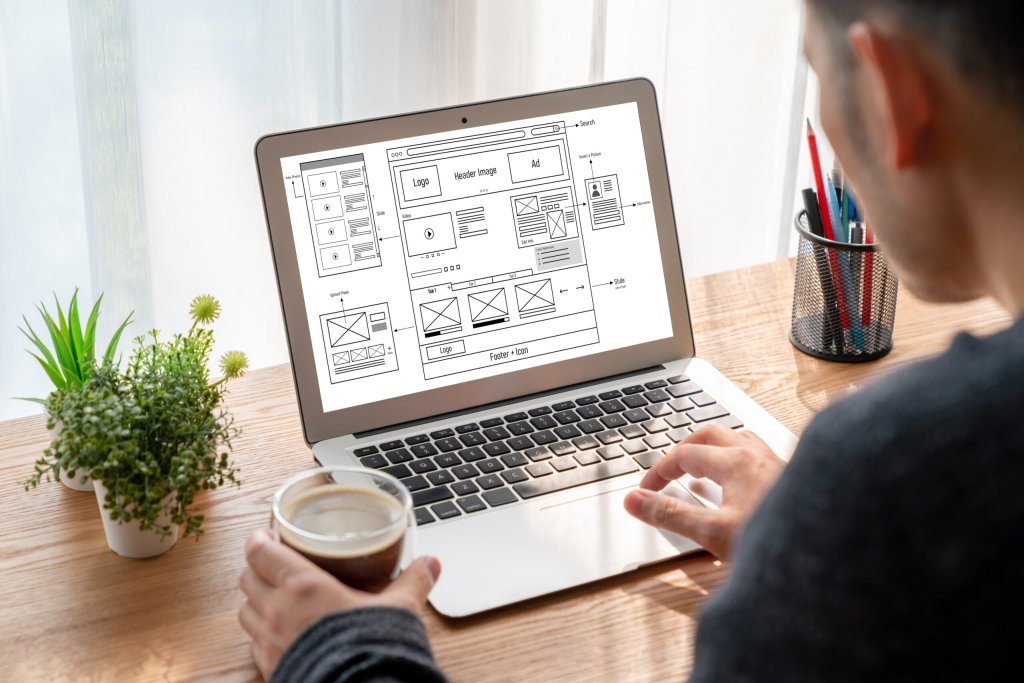
  • Best UX Design Principles Every Website Should Follow

    User experience (UX) design is the backbone of a successful website. When visitors land on a site, they expect clarity, speed, simplicity, and value. A well-designed user experience ensures that users can navigate effortlessly, find what they need, and feel confident engaging with your brand. Whether you are building a brand-new platform or improving an existing website, understanding core UX principles is essential for creating digital experiences that delight users and support business growth. Below are the key UX design principles that every website should follow to improve usability, engagement, and overall performance.

    1.     Prioritize Simplicity and Clarity

    The foundation of great UX is simplicity. Users should understand what your website is about within seconds. Overly complex layouts, too many elements, and long blocks of text overwhelm visitors and push them away. A simple design communicates professionalism and helps users focus on what matters. Clear navigation labels, concise headings, and minimal distractions create an environment where the user feels guided rather than confused. The goal is to make every action intuitive, whether it’s reading content, filling a form, or clicking a call-to-action.

    2.     Ensure Intuitive Navigation

    Navigation is one of the most powerful components of UX design. If users can’t figure out where to go, they will leave. Effective navigation should be predictable and easy to understand. Menus should be logically grouped, clearly labeled, and follow a familiar structure. A good rule is to keep navigation simple, ideally with 5–7 main menu items. Breadcrumbs, search bars, and well-placed CTAs also help users move smoothly across the site. The easier it is to find information, the more time users spend exploring. If you want a website that feels modern, user-friendly, and visually engaging, choosing Professional Web Designing Services can make all the difference.

    3.     Create a Mobile-First Experience

    More than half of global web traffic comes from mobile devices, making mobile-first design a non-negotiable UX principle. Designing for mobile ensures your website is functional, readable, and fast on smaller screens. This includes using responsive layouts, touch-friendly buttons, simplified navigation, and optimized images. Mobile-first design doesn’t just improve usability, it also positively impacts SEO, as search engines prioritize mobile-friendly websites. When your design scales seamlessly across all devices, you deliver a consistent and enjoyable user experience.

    4.     Use Visual Hierarchy to Guide the User

    Visual hierarchy controls how users digest information. By organizing content with intentional spacing, contrasting colors, and purposeful sizing, you guide users’ eyes to the most important elements first. Headings should stand out clearly, buttons should be bold and easily noticeable, and important messages should not compete with background clutter. Designers often follow the “F-pattern” or “Z-pattern” layout to align with natural reading behavior. Strong visual hierarchy ensures users swiftly understand the structure of your content without feeling lost.

    5.     Improve Page Loading Speed

    Speed is a critical UX factor that directly affects user satisfaction, bounce rate, and conversions. Even a one-second delay can significantly reduce engagement. Users expect instant access to information, and slow websites create frustration. To enhance speed, designers and developers should compress images, enable caching, reduce unnecessary scripts, and choose lightweight design elements. Tools like Google PageSpeed Insights help diagnose performance issues. A fast-loading site delivers a smoother experience and encourages visitors to stay longer.

    6.     Incorporate Consistent Design Across the Site

    Consistency builds trust. When elements such as fonts, colors, buttons, spacing, and icons remain uniform across a website, users feel more comfortable navigating. Inconsistent design causes confusion and disrupts the user journey. A consistent style guide ensures every page feels like part of the same brand experience. This not only improves usability but also reinforces brand identity, making your website look polished and professional. Consistency is one of the easiest UX principles to apply and one of the most impactful.

    7.     Focus on Accessibility for All Users

    Accessible design ensures your website accommodates people with disabilities, including those with visual, auditory, motor, or cognitive challenges. Accessibility improves UX for everyone by making content easier to read and interact with. Key practices include using alt text for images, ensuring high color contrast, providing keyboard navigation, and structuring headings correctly. Following WCAG (Web Content Accessibility Guidelines) helps make your site inclusive and compliant. An accessible website widens your reach and shows your commitment to all users. With Professional Web Designing Services, businesses can create a powerful online presence that attracts visitors and converts them into loyal customers.

    8.     Use Feedback and Microinteractions to Enhance Engagement

    Microinteractions, small animations or visual responses provide feedback that makes a website feel more intuitive. These include button hover effects, form validation messages, loading spinners, and navigation transitions. Feedback helps users understand that the system is responding to their actions, reducing uncertainty. Well-designed microinteractions create a more delightful and engaging experience without overwhelming the user. They add personality and clarity to the interface, making the journey feel smooth and enjoyable.

    9.     Write Clear and User-Focused Content

    UX design isn’t only about visuals; content plays an equally important role. Users visit websites to obtain information, so content must be easy to read and understand. Use short sentences, simple language, and informative headings that help users skim quickly. Break up text with bullet points or lists where appropriate. Avoid jargon unless necessary and always write with the user’s needs in mind. Content that communicates effectively enhances usability and increases trust.

    10.Test, Analyse, and Continuously Improve

    UX design is a continuous process. What works today may not work tomorrow, and every audience behaves differently. Regular usability testing through heatmaps, user recordings, A/B testing, or surveys helps you understand how real users interact with your website. Analytics tools reveal which pages perform well and which create friction. By analysing this data, you can refine your design, improve page efficiency, and fix pain points. The best UX experiences are built through ongoing improvement.

    Conclusion

    Great UX design combines simplicity, clarity, accessibility, and continuous refinement. When you prioritise user needs, your website becomes not only visually appealing but also functional, intuitive, and trustworthy. By following essential UX design principles, such as intuitive navigation, consistency, mobile-first layout, fast loading speeds, and clear content, you build experiences that keep users engaged and encourage them to return. A website that puts users first always performs better, both in conversions and in long-term brand loyalty.

  • How to Use Fluid Grids in Responsive Layouts?

    In today’s digital world, users access websites from countless devices, smartphones, tablets, laptops, desktop monitors, and even smart TVs. With this diversity, responsive design is no longer optional. It is the foundation of a seamless user experience. At the heart of responsive design lies one of the most powerful techniques: fluid grids. Unlike fixed-width layouts, fluid grids adjust proportionally based on screen size, making websites flexible, adaptive, and user-friendly. Whether you’re a designer, developer, or business owner trying to understand modern design practices, learning how to use fluid grids can dramatically improve your website’s performance and accessibility. Below are eight effective ways to use fluid grids for building clean, balanced, and responsive layouts.

    1.     Start with a Flexible, Percentage-Based Structure

    The core idea behind a fluid grid is its use of percentages instead of fixed pixel values. Instead of defining a container as 1200px, you define it as 80%, 50%, or 33%. This ensures that the layout scales up or down based on the user’s device width. When designing, start by outlining your columns, rows, and content blocks in percentages. For example, a three-column layout may use 33.33% for each column. This approach keeps the layout fluid and ensures your design adjusts naturally without breaking on smaller screens.

    2.     Use CSS Grid for Advanced Fluid Layouts

    CSS Grid has revolutionised responsive design. With properties like grid-template-columns, auto-fit, and minmax(), designers can create fluid, structured layouts that adapt automatically. Using repeat(auto-fit, minmax()) allows the grid to fill available space while maintaining a minimum width for each content block. This ensures that elements never squeeze too tightly or stretch awkwardly. CSS Grid enables precise control while still keeping the layout fluid, making it one of the best tools for implementing responsive grids today. If you’re planning a website upgrade, choosing a trusted web design company can help you build a modern, user-friendly platform that performs smoothly across all devices.

    3.     Combine Fluid Grids with Flexible Media Elements

    A fluid grid alone won’t guarantee responsiveness unless your images, videos, and media components are also flexible. Use CSS rules like max-width: 100% to ensure media scales naturally within its container. This prevents oversized images from breaking the layout and keeps elements aligned with the fluid grid proportions. When media adapts to the grid, it helps maintain design consistency across devices, improving both aesthetics and functionality.

    4.     Use Breakpoints Strategically to Refine Fluidity

    While fluid grids are designed to adjust automatically, breakpoints help fine-tune the layout at specific screen width ranges. Breakpoints define when the layout should change to improve readability and spacing. For example, a three-column grid may convert to a two-column layout on tablets and a one-column layout on mobile devices. Instead of using rigid breakpoints, tailor them to your content’s natural shrink points. This ensures your design responds gracefully without forcing content into unnatural proportions.

    5.     Maintain Consistent Gutters and Margins Across Devices

    Gutters—the spaces between columns play a huge role in readability. In a fluid grid, gutters should also be flexible. Use relative units like em, rem, or percentages to maintain consistent spacing. If gutters remain fixed in pixels, the layout may feel cramped on smaller screens or overly spaced on larger ones. Balanced spacing ensures a clean visual flow and strengthens the overall structure of your design.

    6.     Prioritize Content Flow Over Pixel-Perfect Layouts

    When working with fluid grids, perfection in pixel alignment becomes less important than content flow. The goal of a responsive layout is to keep information readable and accessible, not identical on every device. Prioritise hierarchy, spacing, and readability over rigid design replication. Accept that certain elements will appear different depending on screen size and that’s a good thing. A strong fluid layout focuses on user experience rather than holding onto fixed design constraints.

    7.     Test Fluid Grids Across Real Devices, Not Just Simulators

    Even well-written fluid grids can behave differently on real devices due to browser rendering variations, screen resolutions, and zoom behaviours. Testing on desktops, tablets, and different smartphone sizes is essential. Adjust column proportions, spacing, and media scaling based on real user interactions, not assumptions. This hands-on testing ensures your fluid grid layout is practical, smooth, and genuinely user-friendly across environments.

    8.     Use Modern Frameworks to Build Fluid Grids Faster

    Frameworks like Bootstrap, Tailwind CSS, and Foundation offer ready-made fluid grid systems that speed up development. These frameworks use responsive classes, flexible containers, and scalable utilities to create fluid layouts without writing everything from scratch. They ensure consistency and stability while still allowing design customization. For beginners, frameworks offer an easy way to understand how fluid grids work. For experienced designers, they save time while maintaining high-quality responsive design standards. Partnering with a professional web design company ensures your brand gets a visually appealing, fast, and conversion-focused website tailored to your goals.

    Conclusion

    Fluid grids are one of the most powerful foundations of modern responsive web design. They provide the flexibility needed to ensure content looks balanced, organized, and visually appealing across all screen sizes. By using percentage-based structures, leveraging CSS Grid, combining flexible media, and refining layouts with strategic breakpoints, designers can build responsive websites that feel natural and user-friendly. When supported by consistent spacing, thoughtful content flow, and real-world testing, fluid grids lead to designs that adapt seamlessly—enhancing usability and supporting a modern digital experience. Whether you’re creating a simple blog layout or a complex multi-section website, mastering fluid grids is an essential step toward achieving professional, accessible, and future-ready web design.

  • How to Use White Space Effectively in Web Design?

    White space, often misunderstood as “empty space” is one of the most powerful design tools in modern web design. Also known as negative space, it refers to the areas of a webpage that are left unmarked, such as margins, paddings, spaces between text, visuals, and layout sections. While it may appear minimal or unused at first glance, white space is responsible for improving readability, guiding attention, enhancing aesthetics, and elevating overall user experience. When used effectively, it creates balance, reduces cognitive load, and helps users focus on what truly matters. In today’s digital environment, where people skim content within seconds, mastering the use of white space can drastically transform how a website looks and performs.

    Understanding the Role of White Space

    White space does more than make a webpage look clean, it shapes how users interact with content. It helps define relationships between elements by separating or grouping them. When spacing is tight, users may feel overwhelmed or unsure where to look first. When spacing is generous, the layout feels breathable, allowing every element to stand out on its own. Effective white space enhances clarity and visual hierarchy, empowering users to navigate a website effortlessly. It also improves comprehension by giving the brain time to process information. In an era of information overload, this subtle yet powerful design element can turn a cluttered layout into a polished and user-friendly interface.

    Types of White Space in Web Design

    White space can be divided into two major categories, macro and micro white space, each serving a unique purpose in shaping the user experience. Macro white space refers to large empty sections used in layout structures, such as spacing between blocks, hero sections, and areas around images or call-to-action (CTA) buttons. It contributes to overall balance and makes websites appear modern and minimal. Micro white space, on the other hand, focuses on small-scale spacing, such as the gap between lines of text, padding within buttons, or spacing between icons. While smaller, micro white space is essential for improving readability and visual flow. A successful design incorporates both types strategically to achieve harmony between content and layout.

    1.     Improving Readability with White Space

    Text-heavy websites can become intimidating if the content feels dense. Strategic white space around and between text blocks drastically improves readability. Generous line spacing, appropriate paragraph breaks, and sufficient margins all help reduce reader fatigue. When content is easier to read, users stay longer and understand more. White space also supports scannability—a crucial factor for online users who often skim pages rather than reading word-for-word. Headings, subheadings, bullet points, and consistent spacing help structure information, allowing users to find what they’re looking for faster. This leads to improved engagement and retention. Elevate your online presence with Professional Web Designing Services that blend creativity, usability, and brand-focused design.

    2.     Enhancing Visual Hierarchy

    One of the most effective uses of white space is establishing visual hierarchy. By surrounding important elements—such as headlines, CTAs, or product features, with more white space, you naturally draw the user’s attention to them. Designers often refer to this as “breathing room.” A CTA button surrounded by clutter is easy to overlook, but with generous padding and spacing around it, it becomes a focal point. White space also helps separate secondary content from primary content, ensuring users focus first on key messages. This improves conversions and streamlines navigation, making it easier for users to follow the designer’s intended path.

    3.     Creating Better User Flow

    When a layout feels too crowded, users struggle to understand where to look first or how to move through the page. White space guides the user’s eye from one section to the next, creating a natural flow. It organizes content visually, reducing cognitive effort and making navigation feel seamless. Whether it’s a landing page, blog, storefront, or portfolio, white space acts like a roadmap. It encourages users to move deeper into the website, follow the content journey, and engage with important elements like links, forms, or CTAs. A well-spaced interface helps users feel comfortable, increasing the likelihood of them staying longer and interacting more.

    4.     Strengthening Branding and Style

    White space contributes significantly to the overall look and feel of a brand. High-end brands such as Apple and luxury fashion houses use abundant white space to communicate elegance, simplicity, and confidence. Minimalism is often associated with professionalism and high value, and white space plays a major role in creating that impression. For brands aiming for a modern, premium, or sophisticated identity, white space enhances the perception of quality. Even for non-luxury brands, it helps maintain a clean, organized, and user-friendly appearance. Consistency in spacing across pages also strengthens brand identity and makes the experience feel cohesive.

    5.     Boosting Website Performance

    Beyond visuals and usability, white space also contributes indirectly to website performance. When a design incorporates more breathing room, it often relies on fewer decorative elements, reducing visual clutter and load weight. Clean layouts with well-spaced content typically require fewer images, animations, or oversized graphics. This can lead to faster load times, an essential factor in both user experience and SEO. Pages that load slower lose visitors quickly, while fast websites keep users engaged. Search engines reward well-optimized sites with better rankings, making white space a subtle ally in performance and SEO strategy.

    6.     Improving Mobile Responsiveness

    Mobile design requires even more emphasis on spacing because of smaller screen sizes and the need for touch-friendly interactions. Elements that appear well-spaced on desktop can feel cramped on mobile if not adjusted properly. White space becomes essential in creating a mobile-friendly layout that is comfortable to read and navigate. Adequate spacing around links and buttons prevents accidental taps, while balanced margins and padding ensure text remains readable without zooming. Using white space effectively ensures a smooth, frustration-free mobile experience, which is critical as the majority of users now access websites through smartphones.

    Practical Tips for Using White Space Effectively

    To get the most out of white space, start by prioritizing clarity over decoration. Simplify the layout and remove unnecessary elements that don’t serve the user. Use consistent spacing standards for margins and paddings across your website to maintain visual harmony. Focus on creating balanced contrast between content blocks, and avoid forcing too much information into one section.

    Let your typography breathe by optimizing line height and letter spacing. Surround CTAs and key elements with generous space so they stand out naturally. Remember, white space should feel intentional not accidental. Every gap should help guide the user, highlight content, or improve readability. With our Professional Web Designing Services, you get high-performing, visually polished websites built to engage visitors and drive conversions.

    Conclusion

    White space is far more than empty space, it is a strategic design tool that shapes usability, aesthetics, and user behavior. When used intentionally, it enhances readability, improves visual hierarchy, strengthens branding, and ensures smooth navigation. It supports better mobile experiences and even contributes to faster load times and improved SEO. In a digital world where clarity, simplicity, and usability drive user satisfaction, mastering white space is essential for creating balanced, engaging, and high-performing website designs. A website with thoughtful white space feels modern, professional, and user-centered—and that makes all the difference in today’s competitive online landscape.

  • How to Use Grids and Layouts for Balanced Website Design?

    A well-designed website is more than just colors, fonts, and images, it’s the arrangement of these elements that creates a harmonious, easy-to-navigate experience for users. Grids and layouts are essential tools in web design that help structure content, maintain visual balance, and guide users’ attention. Using grids effectively ensures that your website not only looks professional but also improves user experience, readability, and overall engagement. Whether you are designing a landing page, a blog, or a full e-commerce site, understanding grids and layout principles is fundamental to creating a website that feels organized and visually appealing.

    1.     Understanding Grids in Web Design

    Grids are the invisible framework that organizes elements on a webpage. They help designers align text, images, and interactive elements consistently across different screen sizes. A grid consists of rows and columns, and by using this structure, designers can create a visual rhythm that is easy for the eye to follow. Without grids, elements may appear scattered or unbalanced, leading to a chaotic user experience. Grids also provide flexibility, while they establish structure, they allow designers to experiment creatively within the framework, ensuring both consistency and uniqueness in design.

    2.     Types of Grid Systems

    Web designers use several types of grid systems depending on the project’s requirements. The column grid is the most common, dividing a page into vertical sections that help align text, images, and interactive components. For example, a 12-column grid allows designers to allocate different widths for images or text blocks while maintaining balance.

    Modular grids divide the page into both rows and columns, ideal for content-heavy websites like news portals or e-commerce platforms. Meanwhile, hierarchical grids are less rigid and are used to emphasize specific elements, such as featured products or call-to-action buttons. Choosing the right grid system is essential because it directly affects the clarity, balance, and visual hierarchy of your design.  Our professional web designing services help businesses create visually appealing, user-friendly websites that drive engagement and conversions.

    3.     How Layouts Affect User Experience

    The layout of a website dictates how information is presented and how users interact with it. A balanced layout ensures that content is easy to scan, which is particularly important because users often skim pages rather than reading word-for-word. By strategically placing headings, images, text blocks, and CTAs within a grid, designers can create a natural flow that guides users toward important elements.

    For instance, placing a call-to-action near the top or center of the grid ensures it is immediately visible. Balanced layouts also reduce cognitive load, making it easier for users to navigate your website, find information, and complete desired actions like signing up, purchasing, or contacting your business.

    4.     Principles of Balanced Website Design

    Balanced website design involves distributing visual weight evenly across the page. This doesn’t mean everything is symmetrical, but rather that the page feels cohesive and visually harmonious. Designers consider proximity, alignment, contrast, and hierarchy when working with grids.

    Elements that are related should be grouped together, while alignment ensures everything lines up neatly within the columns. Contrast draws attention to key elements, such as buttons or headings, while hierarchy guides users through content in a logical order. Applying these principles within a grid layout ensures the page is aesthetically pleasing and functionally effective.

    5.     Responsive Design and Grid Flexibility

    In today’s mobile-first world, grids must be flexible to accommodate different screen sizes. A responsive grid system adjusts automatically to ensure content remains organized on desktops, tablets, and smartphones. For example, a 12-column grid on a desktop may collapse into a 6-column or 4-column layout on smaller devices.

    This ensures that text remains readable, images don’t overlap, and CTAs remain prominent. Flexibility in grids also allows designers to maintain visual balance across various devices, which improves engagement and reduces bounce rates. Ultimately, responsive grids ensure your website looks polished and functions well regardless of the device used to access it.

    6.     Using White Space Effectively

    White space, or negative space, is the area around elements within a grid. While it might seem empty, white space plays a crucial role in balanced website design. It separates sections, highlights key content, and prevents the page from feeling cluttered. Proper use of white space within a grid allows content to breathe, making it easier for users to process information and focus on important elements.

    For example, leaving extra space around a call-to-action button draws attention to it, increasing the likelihood of conversions. When combined with grids, white space helps maintain a clean, professional look while improving readability and user experience.

    7.     Common Mistakes to Avoid

    Even with grids, designers can make mistakes that compromise balance. One common error is overcrowding a page with too many elements, which overwhelms users. Another is inconsistent alignment, which disrupts the visual flow and creates confusion. Ignoring hierarchy or placing key elements in less prominent areas can also reduce the effectiveness of a layout.

    Designers should also avoid rigidly following a grid at the expense of creativity; while grids provide structure, flexibility is necessary to emphasize important content and create a visually engaging design. Regular testing and iteration can help identify these issues and improve the overall balance of the website.

    8.     Tools and Techniques for Grid-Based Design

    Modern web designers have access to a variety of tools that simplify grid-based design. Programs like Adobe XD, Figma, and Sketch allow designers to create flexible, responsive grids and experiment with layouts efficiently. CSS frameworks like Bootstrap provide pre-defined grid systems that make it easier to implement responsive layouts.

    Additionally, wireframing and prototyping tools help visualize grid placement before actual development, ensuring balance and usability from the start. Using these tools, designers can experiment with column widths, spacing, and alignment, making the design process faster and more precise while maintaining a visually appealing structure. By leveraging the latest tools and design trends, our professional web designing services ensure your website stands out while offering seamless functionality across all devices.

    Conclusion

    Grids and layouts are the backbone of effective website design. They provide structure, maintain visual balance, guide user attention, and improve overall usability. By understanding different types of grids, applying layout principles, and combining them with white space, hierarchy, and responsive design, web designers can create websites that are both beautiful and functional. Avoiding common mistakes, leveraging modern tools, and continuously testing your layouts ensures that your website remains balanced across devices and user scenarios. Ultimately, mastering grids and layouts is essential for any web designer looking to create professional, engaging, and high-performing websites.

  • How to Use Color Psychology to Influence User Behavior?

    Color plays a far more powerful role in web design than most people realize. While layout, typography, and content shape the structure of a website, color is what influences emotions, guides attention, and often determines whether a user stays, clicks, or converts. This is where color psychology becomes an essential design tool. By understanding how different colors affect user perception and behavior, designers can create digital experiences that feel intuitive, trustworthy, and compelling. Below is a detailed guide on how color psychology can be strategically used to influence user behavior and boost overall website performance.

    1.     Why Color Psychology Matters in Web Design

    When someone lands on a website, their brain makes a subconscious judgment within seconds. A major part of that judgment is influenced by color. Research shows that color can increase brand recognition, strengthen emotional connection, and even shape purchasing decisions. This means that even before users read a single line of content, the color scheme is already guiding how they feel about the brand. Using color intentionally allows designers to direct user focus, create hierarchy, and encourage desired actions like signing up, buying a product, or exploring deeper pages. Investing in Professional Web Designing Services ensures your website is built with modern design standards that improve user experience and brand credibility.

    2.     Understanding the Emotional Impact of Colors

    Each color triggers certain emotional responses, though the intensity may vary across cultures, age groups, and personal experiences. Still, some universal associations help guide effective design choices.

    • Blue communicates trust, stability, and calmness. It is widely used by banks, SaaS companies, and healthcare brands because it reassures users.
    • Red signals urgency, passion, and excitement. It grabs attention instantly, making it ideal for call-to-action buttons, sales banners, or warnings.
    • Green represents growth, harmony, and balance. It’s often used in wellness, finance, and sustainability websites.
    • Yellow conveys optimism and energy but must be used carefully since it can overwhelm the eyes when overused.
    • Orange combines friendliness and enthusiasm, making it perfect for CTAs and interactive elements.
    • Purple suggests creativity, luxury, and imagination, often used by beauty, fashion, and lifestyle brands.
    • Black communicates sophistication, power, and elegance, commonly seen in premium brands.
    • White represents clarity and simplicity, often used as a base to create breathing room in design.

    Understanding these emotional triggers helps designers choose colors that align with brand identity and user expectations.

    3.     Using Color to Improve Website Usability

    Color isn’t just decorative, it improves usability when applied strategically. One of the most effective ways to enhance usability is by using color to establish visual hierarchy. By assigning distinct colors to headings, buttons, or icons, users can navigate your website more effortlessly.

    For example, using one consistent color for CTA buttons across your site helps users immediately recognize where they should click. Similarly, using contrasting colors for text and background improves readability and reduces cognitive strain. Color also plays a role in accessibility; ensuring proper contrast ratios helps visually impaired users access the content without difficulty.

    4.     Creating an Emotional Connection Through Brand Colors

    Brand identity relies heavily on color consistency. When users see the same recognizable color palette across web pages, social media, and marketing materials, it reinforces trust and brand recognition. Think about major brands: Facebook’s blue, YouTube’s red, and Starbucks’ green. These colors are not random, they reflect the emotions and values the brand wants to communicate.

    In web design, using brand colors strategically can create a sense of familiarity. A consistent palette helps users feel comfortable, increases trust, and strengthens brand recall. It also differentiates your digital presence from competitors who may use similar layouts or visuals.

    5.     Enhancing Calls-to-Action Using Color

    A call-to-action is one of the most important elements on any website, whether it’s “Buy Now,” “Subscribe,” or “Book a Demo.” The color of a CTA button can dramatically influence conversions. This is where contrast and psychology work together.

    Bright, high-contrast colors like red, green, or orange tend to perform well because they stand out. However, the best CTA color depends on your overall palette. If your website is mostly blue, a bright yellow or bold orange button will catch attention instantly. The goal is to choose a color that interrupts the visual pattern just enough to draw the eye without feeling out of sync with the design. Testing different CTA colors through A/B testing can help determine which one yields the highest interaction rate.

    6.     Using Color to Guide User Navigation

    Color acts like a silent guide throughout your website. Designers often use it to direct users to important sections without using words. For example, one color may represent active navigation items, while another highlight hovered or visited links. This visual feedback creates a smoother experience and subtly encourages users to explore more pages.

    Additionally, grouping similar information using color-coded sections helps users instantly distinguish between categories. Educational websites, dashboards, and e-commerce stores often rely on color coding to simplify complex structures.

    7.     Applying Color Psychology in E-Commerce Design

    In e-commerce websites, color plays a significant role in showcasing products and influencing purchasing behavior. Warm colors like red or orange trigger excitement and urgency, making them ideal for limited-time deals or promotional banners. Cool colors like blue and green create a calming shopping experience that encourages users to browse longer.

    Product pages also benefit from controlled use of color. Neutral backgrounds prevent distractions and make product images pop. Highlighting discount tags or availability indicators in bright colors can draw immediate attention and lead to faster decision-making. The right color strategy can significantly impact conversion rates and cart completions.

    8.     Balancing Creativity and Functionality in Color Usage

    While creativity is an essential part of design, color decisions must always support functionality. Too many colors can overwhelm users, while too few may fail to capture interest. The key is balance: choose a primary color, one or two secondary colors, and one accent color reserved for CTAs or important actions.

    It’s also crucial to consider cultural nuances. Colors have different meanings around the world, so global brands must adapt palettes to resonate with diverse audiences. Designers should also test color combinations across devices, ensuring they look consistent and visually appealing everywhere. With Professional Web Designing Services, businesses can achieve a visually stunning, responsive, and conversion-focused online presence that attracts and retains customers.

    Conclusion

    Color psychology is a powerful tool in web design, influencing how users feel, navigate, and interact with a website. By understanding the emotional impact of colors and applying them strategically, whether to highlight CTAs, improve usability, or build brand identity, you can create a website that not only looks beautiful but also drives measurable results. When colors are used purposefully, they become more than aesthetic choices, they become drivers of user behavior, engagement, and conversions.

  • Designing Accessible Websites: A Complete Guide

    Creating an accessible website is no longer optional, it’s a responsibility and a competitive advantage. Today’s digital world is built for everyone, including users with disabilities who rely on specific tools or features to navigate online. Accessibility ensures that every visitor can access, understand, and interact with your content without barriers.

    Beyond inclusivity, accessible websites perform better in search engines, offer better user experience, and comply with global regulations. This guide walks you through what accessibility means, why it matters, and how you can design websites that are fully accessible.

    Understanding Accessibility in Web Design

    Web accessibility refers to designing and developing websites that are usable by people with different abilities, including visual, auditory, cognitive, speech, and motor impairments. Many users rely on assistive technologies such as screen readers, screen magnifiers, voice navigation tools, and keyboard-only controls.

    When a website supports these tools, it becomes usable for a wider audience and aligns with standards like the Web Content Accessibility Guidelines (WCAG). Accessibility is about making the digital world equitable, ensuring no user is excluded due to design limitations.

    Why Accessibility Matters?

    Accessible design enhances user experience for everyone, not just people with disabilities. For instance, captions help users watching videos in noisy environments, and clear navigation assists first-time visitors. Accessibility also reduces bounce rates and increases engagement because users find the website easier to navigate.

    From a business perspective, companies that prioritize accessibility gain trust, expand reach, and reduce legal risks. Many countries have regulations requiring accessibility compliance, and ignoring these can lead to penalties. Most importantly, accessibility reflects a commitment to inclusivity, positioning your brand as socially responsible.

    1.     Use Proper Heading Structure for Screen Readers

    A clear heading hierarchy is one of the foundational elements of accessible web design. Screen reader users depend on heading tags (H1, H2, H3, etc.) to understand the structure of a page and navigate through sections. Misusing or skipping headings creates confusion and makes content harder to consume.

    Start with a single H1 for the main page title, followed by logical subheadings. Properly structured headings not only support accessibility but also enhance SEO by helping search engines understand content flow.

    2.     Ensure High Color Contrast for Better Visibility

    Many users have low vision, color blindness, or visual impairments that make reading low-contrast text difficult. High contrast between text and background ensures readability for all. WCAG recommends a minimum contrast ratio of 4.5:1 for normal text and 3:1 for large text.

    Designers should avoid overly light fonts, pale colors, or text placed on busy backgrounds. Tools like contrast checkers can help verify compliance. High contrast also benefits mobile users who may be viewing your site in bright outdoor conditions. Investing in professional web designing services ensures your website is accessible, user-friendly, and built to deliver a seamless experience for every visitor.

    3.     Provide Alt Text for All Images

    Alternative text (alt text) describes the content of an image for users who cannot see it. Screen readers read alt text aloud, making images understandable to visually impaired users. Alt text should be descriptive, concise, and meaningful. For example, instead of writing “image,” describe what the image depicts: “Woman holding a laptop while smiling at the camera.”

    Decorative images that do not add meaning can have empty alt text so they are skipped by screen readers. Alt text supports accessibility and enhances SEO because search engines use it to understand image context.

    4.     Make Website Navigation Keyboard-Friendly

    Many people cannot use a mouse due to mobility limitations and rely solely on keyboard navigation. An accessible website must allow users to navigate through all pages, forms, buttons, and links using the tab, arrow keys, and enter/space bar. This also includes visible focus indicators, typically a highlight or outline that shows which element is currently selected.

    Removing focus indicators for aesthetics is a common mistake that makes navigation nearly impossible for keyboard users. A well-designed keyboard navigation flow supports usability for all visitors.

    5.     Add Captions and Transcripts to Multimedia

    Videos, audio clips, and interactive media must include captions, transcripts, or audio descriptions to accommodate users with hearing or visual impairments. Captions help not just those with disabilities but also users in quiet or noisy environments.

    Transcripts make audio content searchable and easier to consume. Audio descriptions explain visual actions in videos, ensuring visually impaired users understand what is happening. Accessible multimedia content increases engagement and expands your audience reach.

    6.     Use Clear, Simple, and Consistent Language

    Accessible content is not only about visuals, it’s also about clarity. Users with cognitive or learning disabilities may struggle with overly complex language or technical jargon. Write in simple, easy-to-understand sentences and break long paragraphs into smaller sections.

    Use bullet points to simplify information where appropriate. Provide definitions for unfamiliar terms and keep instructions straightforward. Clear communication enhances comprehension for all users, especially those who may have difficulty processing information quickly.

    7.     Design Forms That Are Easy to Understand and Complete

    Forms are often one of the most challenging parts of a website for users with disabilities. Accessible forms should include clear labels, instructions, and error messages. Every input field must be associated with a visible label so screen readers can correctly identify each step.

    Provide helpful placeholder text and avoid using color alone to indicate errors. Error messages should be descriptive—such as “Please enter a valid email address”, instead of vague alerts like “Invalid input.” Well-designed forms help users complete tasks with confidence and ease. With professional web designing services, businesses can create inclusive digital spaces that enhance usability, build trust, and boost overall online performance.

    8.     Follow WCAG Guidelines and Test Regularly

    Designing an accessible website is an ongoing process. The Web Content Accessibility Guidelines (WCAG) provide detailed standards that ensure inclusivity across all disabilities. Regular audits, user testing, and accessibility tools can help identify and fix issues early.

    Automated testing tools are useful, but they should be combined with manual testing to fully understand real-world user experiences. The goal is continuous improvement, not a one-time fix.

    Conclusion

    Designing accessible websites is essential for creating an inclusive digital world where everyone can participate fully. By implementing clear structure, proper contrast, descriptive alt text, keyboard navigation, accessible media, simple language, user-friendly forms, and ongoing testing, you build a platform that welcomes every visitor. Accessibility improves usability, boosts SEO, strengthens brand image, and ensures compliance with global standards. When you prioritize accessibility, you’re not only designing a better website—you’re building a better experience for all.

  • How to Design Landing Pages That Drive High Conversions?

    A high-converting landing page has the power to turn casual visitors into loyal customers, subscribers, or leads. Whether you are promoting a product, offering a free trial, or collecting sign-ups, your landing page must be strategically designed to guide users toward action. In today’s digital world, competition is high, and users make decisions in seconds. This means your landing page needs the right mix of clarity, visuals, trust signals, and usability to maximize conversions. Here are 8 powerful ways to design landing pages that drive high conversions, along with insight on why each step matters and how to implement it effectively.

    1.     Create a Clear and Compelling Headline

    Your headline is the first thing users see, and it determines whether they will stay or leave. A high-converting landing page begins with a headline that is clear, direct, and benefit-oriented. Instead of simply stating what your product or offer is, focus on highlighting what the user will gain.

    For example, “Boost Your Website Traffic in 30 Days” is stronger than “Marketing Software Tool.” A good headline should instantly communicate value and relevance. Also, avoid vague or overly creative wording that may confuse readers. Supporting your headline with a concise subheading can further reinforce your core message and provide clarity within seconds. Partnering with experienced web designers in London can help you build landing pages that not only look stunning but also convert visitors effectively.

    2.     Use a Clean and Minimalist Layout

    A cluttered landing page overwhelms visitors and makes it difficult for them to understand what action you want them to take. A minimalist layout, on the other hand, uses space strategically to draw attention to the most important elements, your headline, value proposition, visuals, and call-to-action.

    Make sure the design is easy to scan, with each section clearly separated and organized. Avoid unnecessary widgets, long paragraphs, or too many competing buttons. Clean design enhances readability, improves user experience, and keeps the focus where it matters most: conversion. Think of every unnecessary element as a distraction that could potentially lower your conversion rate.

    3.     Highlight a Strong and Benefit-Focused Value Proposition

    Your value proposition is the heart of your landing page. It tells users why they should choose your offer over others and what unique benefits they will receive. High-converting landing pages clearly explain how the product or service solves a problem or improves the user’s life.

    This can be conveyed through short paragraphs, bullet points, or bold statements that make your value unmistakable. Avoid focusing only on features; instead, translate features into user benefits. For example, rather than saying “Includes automation tools,” phrase it as “Save hours each week with built-in automation.” When users can immediately see what’s in it for them, conversion rates increase significantly.

    4.     Add a Prominent and Action-Oriented CTA

    Your call-to-action (CTA) is the conversion trigger. It needs to be visually noticeable and compelling enough to persuade visitors to act. The CTA should use action-driven, specific language such as “Get Started,” “Download Free Guide,” or “Start Your Free Trial.” The placement of the CTA is equally important, keep your primary button above the fold so users can see it without scrolling.

    You can also include secondary CTAs further down the page for users who need more information before taking action. Make sure the button color stands out from the rest of the page but still aligns with your design theme. A strong CTA should eliminate confusion and make it clear what the next step is.

    5.     Use High-Quality Visuals That Reinforce the Message

    Visuals play a major role in shaping user perception. Whether you use images, illustrations, or videos, they should support and enhance your message. For product-based landing pages, high-quality images showcasing real usage help users visualize the product better. For service-based pages, illustrations or explainer videos can simplify complex concepts and make the offer more relatable.

    Avoid generic stock photos that add no value or create distrust. Instead, opt for visuals that highlight benefits, demonstrate results, or create an emotional connection. When visuals complement the written content, users find the page more engaging and trustworthy, increasing the likelihood of conversion.

    6.     Build Trust Through Social Proof

    In a world filled with choices, users naturally seek reassurance before making a decision. This is why social proof is a powerful element in increasing conversions. Testimonials, customer reviews, ratings, logos of trusted clients, or case studies help build credibility. They show that real people have used and benefited from your product or service.

    Displaying social proof near your CTA or value proposition can significantly improve user confidence. Additionally, including badges like “Trusted by 10,000+ users” or “Featured in Top Tech Publications” adds another credibility layer. When visitors see that others trust your brand, they feel more comfortable taking action themselves.

    7.     Ensure Mobile Responsiveness and Fast Load Times

    With a majority of users accessing websites through mobile devices, your landing page must be fully responsive. A page that does not display properly on smaller screens leads to frustration and instant abandonment. Make sure the layout adjusts seamlessly, buttons are large enough to tap, and text remains easy to read.

    Additionally, fast load times are essential. A slow page can drastically lower conversion rates, as users often leave if the page takes more than a few seconds to load. Optimizing images, reducing script size, and using efficient coding practices ensure your landing page performs smoothly across all devices.

    8.     Test and Refine Through A/B Testing

    High-converting landing pages are rarely created on the first attempt. Continuous testing and refinement are crucial for long-term success. A/B testing allows you to compare different versions of your headline, CTA, visuals, form length, or layout to see which performs better. Even small changes can have a big impact on conversions. For example, switching a CTA color or rewriting a headline can result in significantly higher engagement.

    Track user behavior through heatmaps, analytics, and conversion tracking tools to understand what works and what doesn’t. Regular optimization ensures your landing page remains effective as user behavior and market trends evolve. Skilled web designers in London understand modern user behavior and create layouts that enhance engagement, trust, and overall conversion rates.

    Conclusion

    Designing landing pages that drive high conversions requires a combination of clarity, trust-building elements, visual appeal, and strategic user experience. By crafting a strong headline, using clean layouts, emphasizing your value proposition, and incorporating persuasive CTAs, you lay the foundation for an effective landing page. Adding high-quality visuals, social proof, mobile responsiveness, and A/B testing completes the process. When all these elements work together, your landing page becomes a powerful tool to capture leads, generate sales, and grow your business. Consistent refinement and user-centered design will help you maintain high conversion rates and stay competitive in a constantly changing digital landscape.

  • How to Design Intuitive Navigation for Your Website?

    Navigation is one of the most critical elements of website design. It determines how easily users can find the information they are looking for, and it directly impacts user experience (UX), engagement, and conversion rates. Poor navigation can frustrate visitors, increase bounce rates, and ultimately affect your website’s performance. Designing intuitive navigation ensures that users can effortlessly move through your website, find relevant content, and complete their desired actions. In this article, we’ll explore seven effective ways to design intuitive navigation for your website.

    1.     Keep Navigation Simple and Clear

    Simplicity is key when designing website navigation. Users should be able to understand your menu options at a glance without confusion. Avoid overloading the navigation bar with too many categories or links. Instead, focus on the main sections that users are most likely to need.

    Clear labels and straightforward terminology help users quickly identify what they’re looking for. For instance, instead of vague terms like “Resources” or “Stuff,” use descriptive labels such as “Blog,” “Services,” or “Contact Us.” A simple, uncluttered navigation system enhances usability and ensures visitors stay longer on your site. Partnering with expert web design services can help you create a visually appealing and user-friendly website that engages visitors and drives conversions.

    2.     Use Logical Hierarchy and Structure

    Organizing your navigation in a logical hierarchy helps users understand the relationship between different pages and sections. Start with broad categories at the top level and gradually drill down into subcategories. For example, under a main category like “Services,” you could have submenus such as “Web Design,” “SEO Services,” and “E-Commerce Solutions.”

    A clear structure not only improves user experience but also aids search engines in crawling and indexing your website efficiently. Logical hierarchy ensures that users don’t feel lost and can intuitively navigate from one section to another.

    3.     Prioritize Key Pages

    Not all pages on your website are equally important. Place your most valuable pages, such as product or service pages, the homepage, and contact information, in prominent positions within your navigation. Users should be able to access these pages with minimal clicks.

    Using techniques like “sticky menus” that remain visible as users scroll can also improve accessibility for important links. Prioritizing key pages ensures that visitors can quickly find what matters most, leading to higher engagement and conversion rates.

    4.     Use Descriptive and Consistent Labels

    Navigation labels should be descriptive and consistent across all pages. Avoid using jargon or overly creative terms that may confuse visitors. For example, instead of labeling a section as “Our Expertise,” simply use “Services” or “Solutions” to clarify the content.

    Consistency in labeling and placement across pages helps users form a mental map of your website. When visitors recognize familiar patterns and terms, it becomes easier for them to navigate intuitively, improving overall usability.

    5.     Implement Visual Cues

    Visual cues such as icons, dropdowns, and highlighted menu items can guide users and make navigation more intuitive. For instance, adding small icons next to menu items can help users quickly identify categories, while dropdowns can neatly organize subpages under main categories.

    Highlighting the current page in the menu also lets users know where they are on the website. These subtle visual cues enhance orientation and reduce cognitive load, making it easier for visitors to navigate and find relevant information.

    6.     Make Navigation Mobile-Friendly

    With more users accessing websites via smartphones and tablets, mobile-friendly navigation is essential. Responsive design ensures that your menu adapts to different screen sizes without compromising usability. Techniques like hamburger menus, collapsible sections, and touch-friendly buttons improve the mobile navigation experience.

    Ensuring that menus are easily tappable and content is accessible on smaller screens enhances user experience and reduces frustration. Mobile-friendly navigation is also a key factor in SEO, as search engines prioritize mobile-optimized websites in rankings. Professional web design services ensure your website is optimized for both usability and search engines, boosting online visibility and business growth.

    7.     Include a Search Function

    Even with well-organized menus, some users prefer to use a search function to find specific content quickly. Adding a visible search bar on your website can significantly improve usability, especially for content-heavy sites like blogs or e-commerce stores.

    A search function allows visitors to bypass navigation entirely and access the information they need immediately. Advanced features like autocomplete suggestions or filters further enhance the search experience, making it a valuable addition to any website with extensive content.

    Conclusion

    Intuitive navigation is a cornerstone of effective website design. It enhances user experience, keeps visitors engaged, and helps achieve business goals by guiding users to key pages. By keeping navigation simple, using logical hierarchy, prioritizing important pages, using descriptive labels, implementing visual cues, ensuring mobile-friendliness, and adding a search function, you can create a website that is both user-friendly and highly functional. A website with clear and intuitive navigation not only improves usability but also supports SEO efforts, as search engines favor websites that offer a positive user experience. Investing time and effort into designing effective navigation pays off in higher engagement, better retention, and increased conversions.

  • How to Design Websites That Load Faster and Perform Better?

    In today’s fast-paced digital world, users expect websites to load almost instantly. Studies show that even a one-second delay in page load time can reduce conversions and increase bounce rates. A fast-loading website not only enhances user experience but also improves search engine rankings. Whether you’re a web designer, developer, or business owner, optimizing website speed is essential for performance and growth. Here are eight effective ways to design websites that load faster and perform better.

    1.     Optimize Images Without Losing Quality

    Images are often the largest files on a webpage, and if not optimized, they can drastically slow down loading times. Instead of uploading raw, high-resolution files, resize and compress images before uploading them to your website.

    Additionally, using modern formats such as WebP can provide superior compression compared to traditional formats like JPEG and PNG. Also, use responsive   images to ensure that the right image size loads depending on the user’s device. This ensures faster performance on mobile without sacrificing clarity on larger screens. Professional web designers in London understand that website speed and performance directly impact user retention and search rankings.

    2.     Leverage Browser Caching

    Browser caching allows a website to temporarily store certain data, such as images, CSS, and JavaScript files, on a user’s local device. This means that when a visitor returns to your site, the browser can load previously stored elements instead of downloading them again.

    You can enable caching through server settings or plugins if you’re using a CMS like WordPress. Set an appropriate expiration period for cached files, typically a week or more for static assets. This simple optimization significantly reduces load times for returning visitors and improves overall performance.

    3.     Minimize HTTP Requests

    Each element on a webpage, images, CSS, scripts, and fonts, requires an HTTP request to load. The more requests your website makes, the longer it takes to display.

    To minimize these requests:

    • Combine multiple CSS and JavaScript files into single, minified versions.
    • Use CSS sprites to merge small images (like icons) into one file.
    • Eliminate unnecessary plugins or third-party scripts that slow down the page.

    Streamlining your site structure ensures that browsers have fewer tasks to complete, resulting in faster load times and smoother performance.

    4.     Use a Content Delivery Network (CDN)

    A Content Delivery Network (CDN) distributes your website’s content across multiple servers located around the world. When a user accesses your site, the CDN delivers data from the server closest to their geographical location. This minimizes latency and significantly improves loading speeds, especially for international visitors.

    Popular CDN providers such as Cloudflare, Akamai, and Amazon CloudFront offer scalable solutions that enhance both speed and security. By combining a CDN with proper caching strategies, you can ensure your site remains fast and reliable regardless of where your visitors are located.

    5.     Prioritize Clean, Efficient Code

    Bloated code slows down your website. Clean, well-structured code ensures that browsers can read and render pages quickly. Start by removing unnecessary characters, spaces, and comments from HTML, CSS, and JavaScript files, a process known as minification. Use tools like UglifyJS or CSSNano to automate this task.

    Additionally, adopt best coding practices such as:

    • Loading scripts asynchronously or at the bottom of the page.
    • Using lightweight frameworks instead of heavy libraries.
    • Validating your code to eliminate redundant elements.

    The cleaner your code, the faster your website will load and the easier it will be to maintain in the long run.

    6.     Implement Lazy Loading for Media

    If your website contains numerous images or videos, loading them all at once can overwhelm the server and delay page rendering. That’s where lazy loading comes in. Lazy loading ensures that images and videos load only when they become visible on the user’s screen.

    This reduces initial load times and improves perceived speed, visitors feel like the page loads faster even if it’s still fetching content in the background. Most modern website platforms and frameworks offer built-in lazy loading options or plugins, making this a quick win for performance optimization.

    7.     Choose Reliable Hosting and Use the Right Server Configuration

    Your web hosting service plays a crucial role in determining how quickly your website loads. Cheap shared hosting may seem appealing, but it often leads to slower load times, especially during high-traffic periods.

    Opt for a reliable hosting provider that offers solid-state drives (SSDs), high uptime rates, and scalable resources. If your site has heavy traffic, consider upgrading to VPS (Virtual Private Server) or dedicated hosting for better control and performance. Additionally, make sure your server uses the latest technologies like HTTP/2 and PHP 8+, which are optimized for faster data transfer and improved performance.

    8.     Regularly Test and Monitor Performance

    Website optimization is not a one-time task. Regular testing helps identify new issues that may slow down your site over time. Use tools like Google PageSpeed Insights, GTmetrix, or Pingdom to analyze loading speed and receive actionable recommendations.

    Monitor key metrics such as:

    • Page load time
    • Time to first byte (TTFB)
    • Core Web Vitals (Largest Contentful Paint, First Input Delay, Cumulative Layout Shift)

    By continuously monitoring and fine-tuning your site, you ensure consistent performance and a smooth user experience across all devices. For businesses seeking growth, collaborating with expert web designers in London ensures a fast, optimized, and conversion-friendly website design.

    Conclusion

    Designing websites that load faster and perform better is essential in a digital landscape where speed determines user satisfaction and search visibility. From optimizing images and code to leveraging caching and CDNs, every second saved can make a big difference in engagement and conversion. A fast, responsive website not only pleases visitors but also signals professionalism and reliability, two key factors for online success. By following these eight proven strategies, you’ll be able to create high-performing websites that deliver exceptional user experiences and stand out in today’s competitive online world.

Design a site like this with WordPress.com
Get started