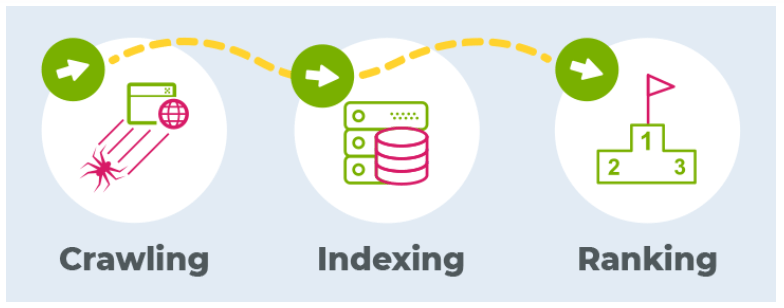
Crawl errors and indexing issues are among the most common SEO challenges that prevent websites from showing up in search engine results. When Google’s crawlers can’t properly access, understand, or index your web pages, it directly impacts your visibility and organic traffic. Addressing these problems promptly ensures your site remains accessible, SEO-friendly, and optimized for performance. Here are eight effective ways to fix crawl errors and indexing issues on your website to improve your overall ranking and user experience.
1. Identify and Monitor Crawl Errors Using Google Search Console
The first and most crucial step in fixing crawl errors is identifying them. Google Search Console is an invaluable tool that helps you monitor and understand your site’s crawl health. Under the “Pages” report in the “Indexing” section, you can view issues like “Crawled, currently not indexed,” “Server error (5xx),” or “Not found (404).” These errors indicate that search engines are unable to access or index certain pages correctly.
Regular monitoring helps you spot patterns and resolve issues early. For instance, if pages are returning 404 errors, set up 301 redirects to relevant pages or recreate the missing content if necessary. By consistently reviewing and fixing crawl errors through Search Console, you maintain a strong and healthy index status. Boost your website’s visibility and performance with professional SEO services designed to fix crawl errors, improve indexing, and enhance search rankings.
2. Optimize Your Robots.txt File
Your robots.txt file tells search engine crawlers which pages they are allowed to crawl and which ones they should ignore. However, if this file is misconfigured, it can unintentionally block essential pages from being indexed. Check your robots.txt file for any “Disallow” directives that might be preventing access to important areas of your site, such as product pages or blog posts.
Use the URL Inspection Tool in Google Search Console to test whether a particular URL is being blocked. If certain pages should be publicly visible and indexed, make sure they are not restricted by the robots.txt file. A properly configured file ensures that crawlers can access all critical pages while keeping unnecessary ones (like admin or staging areas) hidden.
3. Fix Broken Links and Resolve 404 Errors
Broken links are a major cause of crawl issues and can harm both user experience and SEO. When Googlebot encounters broken internal or external links, it may waste crawl budget and reduce your site’s overall authority. Conduct regular site audits using tools like Ahrefs, Screaming Frog, or SEMrush to identify broken links.
Once identified, fix them by updating the URLs, redirecting outdated pages with 301 redirects, or removing irrelevant links altogether. Fixing broken links ensures smoother crawling, prevents users from hitting dead ends, and helps maintain your website’s credibility.
4. Create and Submit an XML Sitemap
An XML sitemap acts as a roadmap for search engines, helping them understand your site’s structure and discover important pages. Without a proper sitemap, crawlers may miss valuable content, especially if it’s buried deep within your site’s architecture. Generate an XML sitemap using plugins like Yoast SEO or Rank Math (for WordPress), or create one manually if you’re using a custom CMS.
Once it’s ready, submit it through Google Search Console under the “Sitemaps” section. Regularly update and resubmit your sitemap whenever you add or remove pages so that Google always has an up-to-date view of your site’s structure. This simple step improves crawl efficiency and ensures that new pages are indexed faster.
5. Eliminate Duplicate Content Issues
Duplicate content can confuse search engines, making it difficult for them to determine which version of a page to index. This problem often occurs due to URL parameters, session IDs, or similar product descriptions. To fix this, implement canonical tags (<link rel=”canonical”>) to indicate the preferred version of each page.
You should also use tools like Copyscape or Siteliner to detect duplicate content across your site. If multiple URLs lead to similar content, consolidate them into a single authoritative page. Cleaning up duplicate content improves crawl efficiency, strengthens your site’s authority, and helps prevent ranking dilution.
6. Improve Website Speed and Server Performance
Website speed is not only crucial for user experience but also plays a significant role in crawl efficiency. Search engines allocate a specific crawl budget to each site—meaning bots will only crawl a certain number of pages within a given timeframe. If your website is slow or frequently experiences server errors, Googlebot may stop crawling before it indexes all your pages.
To fix this, optimize your site’s loading speed by compressing images, minimizing JavaScript and CSS files, enabling browser caching, and using a Content Delivery Network (CDN). Regularly test your site performance using Google PageSpeed Insights or GTmetrix and follow their optimization recommendations. Additionally, choose a reliable hosting provider with strong uptime and fast server response times.
7. Ensure Mobile-Friendliness and HTTPS Security
Google uses mobile-first indexing, meaning the mobile version of your site is considered the primary version for ranking and indexing. Therefore, a non-responsive website can cause indexing issues and poor visibility. Ensure that your website design is mobile-friendly, loads quickly on all devices, and that all interactive elements (like menus and buttons) work properly on smaller screens.
Moreover, websites that still run on HTTP instead of HTTPS are seen as less secure by Google. Migrating to HTTPS with a valid SSL certificate not only improves security but also enhances trust and SEO performance. After migration, update all internal links and redirect old HTTP pages to their HTTPS versions to avoid crawl confusion.
8. Maintain a Clear and Organized Site Structure
A clean and logical site structure is essential for both users and search engines. If your website’s architecture is too complex, search engines may struggle to crawl all pages effectively. Aim to keep your navigation hierarchy simple—important pages should be accessible within three clicks from the homepage.
Use internal linking to connect high-authority pages with new or less visible ones. This helps distribute link equity and guide crawlers toward key content. Organizing your content into clear categories and subcategories also enhances crawlability. A structured website not only improves indexing but also boosts user engagement and reduces bounce rates. Our expert SEO services ensure that every page of your site is optimized for maximum crawlability and long-term online success.
Final Thoughts
Fixing crawl errors and indexing issues is essential for maintaining your website’s health and visibility. Start by identifying problems through Google Search Console, ensure your robots.txt file and sitemap are correctly configured, repair broken links, manage duplicate content, optimize speed, and make your site mobile- and HTTPS-friendly. Lastly, maintain a clear site structure for better navigation and crawlability. Regular technical SEO audits are key to ensuring long-term success, as new issues can arise after site updates or content changes. By implementing these eight strategies consistently, you can ensure that search engines easily crawl and index your pages, ultimately improving your website’s visibility, ranking potential, and overall performance.
 London Web designer Site
Leave a comment